How Driver Digital Builds AI Agents
Learn about the AI systems our team has built, from a Figma-to-code tool to an autonomous dev pipeline, and the framework we use to guide our decisions.
- Dev
- Maria Carter
In July, I gave a short talk to the eCommerce Agency Growth community, a group of founders and others who run digital agencies, most of them Shopify shops like ours.
Driver Digital works with founder-led fashion and beauty brands, many of them in the luxury space, and those clients expect a level of attention and detail-orientation that can be difficult to maintain as an agency grows.
So for us, AI agents and automations are primarily a way to continue to give each of our clients a bespoke experience and our full human attention and expert judgment, even at scale. Everything in this post was built in-house by myself and our engineering team over the past year, and most of it has been rebuilt at least once as the models got better or the tooling ecosystem changed.
What we've built so far
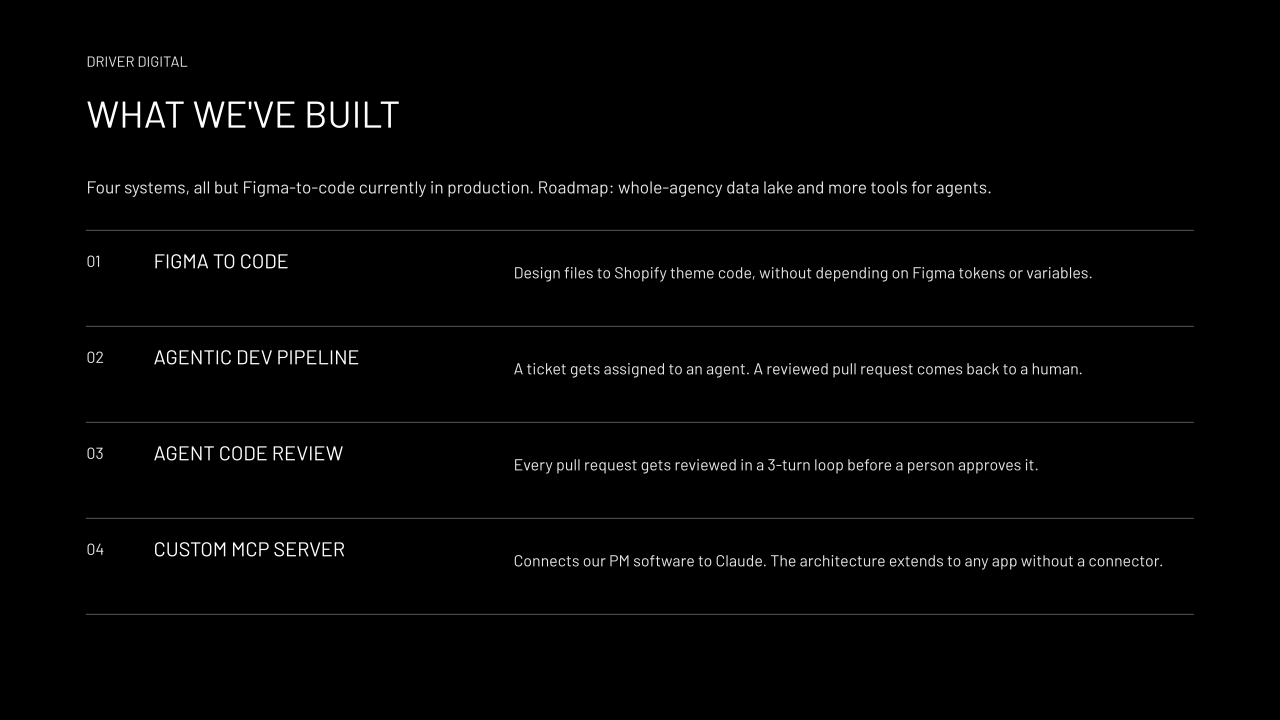
We have four systems - three are in production.
The first is a Figma-to-code system that turns design files into Shopify theme code. The existing tools we tried assumed a design file built on Figma tokens and variables, and they produced code that didn't fit the way we prefer to set up our repositories. So we built our own, one that respects our architecture and our opinions about how a theme should be structured. It's currently in beta, and we’re planning to roll it out next month.
The second is a development pipeline. We assign a ticket to an agent, the agent does the work, and the work comes back to a human engineer as a reviewed pull request ready for final approval.
The third is how that review happens. Every pull request goes through a loop where an agent reviews it, another applies the fixes, and the cycle repeats three times before the PR is assigned to a human engineer for approval.
The fourth sounds like the least interesting, but it might be the most broadly useful. Our project management software had no connector to Claude and no public API. It did, like most web apps, have a private API that its own interface uses, so we built a custom MCP server on top of that. The same pattern works for almost any app your team relies on, whether or not the company behind it has built an official connector.
Next on our list is an agency-wide data lake that gives agents one place to find the context they need, and more tools so they can do more on their own.
How we think about workflows
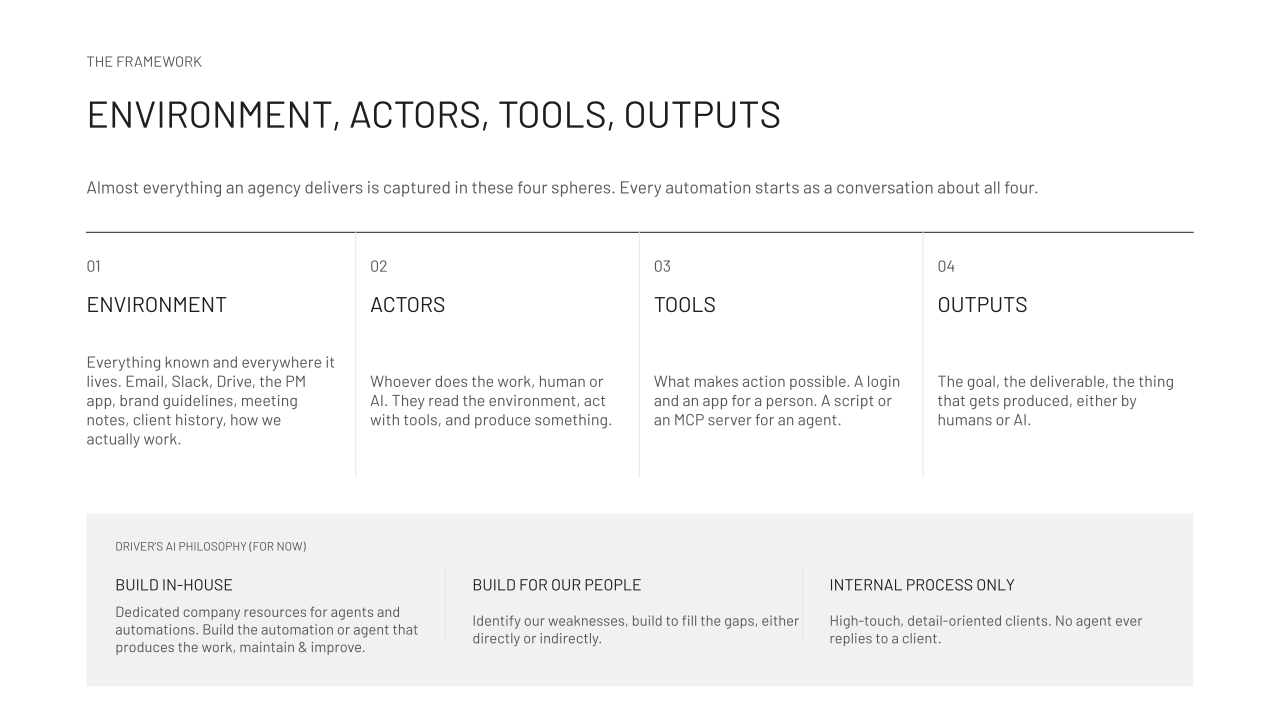
We think about automation in terms of four areas, and almost everything an agency delivers touches all of them.
Environment is everything we know and everywhere it lives: email, Slack, Drive, the project management app, brand guidelines, meeting notes, client history, and the less formal knowledge of how we actually work.
Actors are whoever does the work, human or AI; they read the environment, act with tools, and produce something.
Tools are what make the action possible. A new hire needs a login and an account; an agent needs something analogous, maybe a script or an MCP server.
Outputs are the deliverable at the end, whoever produces it.
We try to think about agents the same way we think about the people on our team. Any task we want to hand off starts as a conversation about those four things. Where does the data come from? Who works with it, and at which step? Most workflows end up needing a person at one point, an agent at another, and some plain ol’ software in between. Once a process is broken down that way, it gets much easier to see where an agent fits and where a simple script will do.
That distinction is important. A deterministic automation is software that does one thing the same way every time. An agentic workflow usually combines that kind of code with connections to other systems, people who check the work, and a language model that reasons at some step. What makes it agentic is that the model is there to reason, and they can apply that reasoning by taking actions with tools.
How we decide what to build
We build everything ourselves. We don't use n8n or Lovable, for instance. We set aside company time for our engineers to build our agents and automations, and the same engineers maintain them, because shipping something to production is when the real work on it starts.
If you've never maintained a production app, the amount of iteration that follows can be a surprise. The practical result is that our engineers now spend part of their time building the tools that produce our work, and every engineer on our team is gradually becoming an applied AI engineer.
We build for the specific people on our team. We look honestly at where we're weak or stretched and build to fill those gaps, sometimes by taking work off someone's plate and sometimes by supporting them in other ways.
There’s a lot we’re not willing to automate. Our clients are detail-oriented founders, and an agent is never going to reply to one of them on our behalf. Likewise, everyone on our team is an expert in their respective domains. It’s our judgment and experience our clients receive, not an agent’s or a model’s.
What we've learned
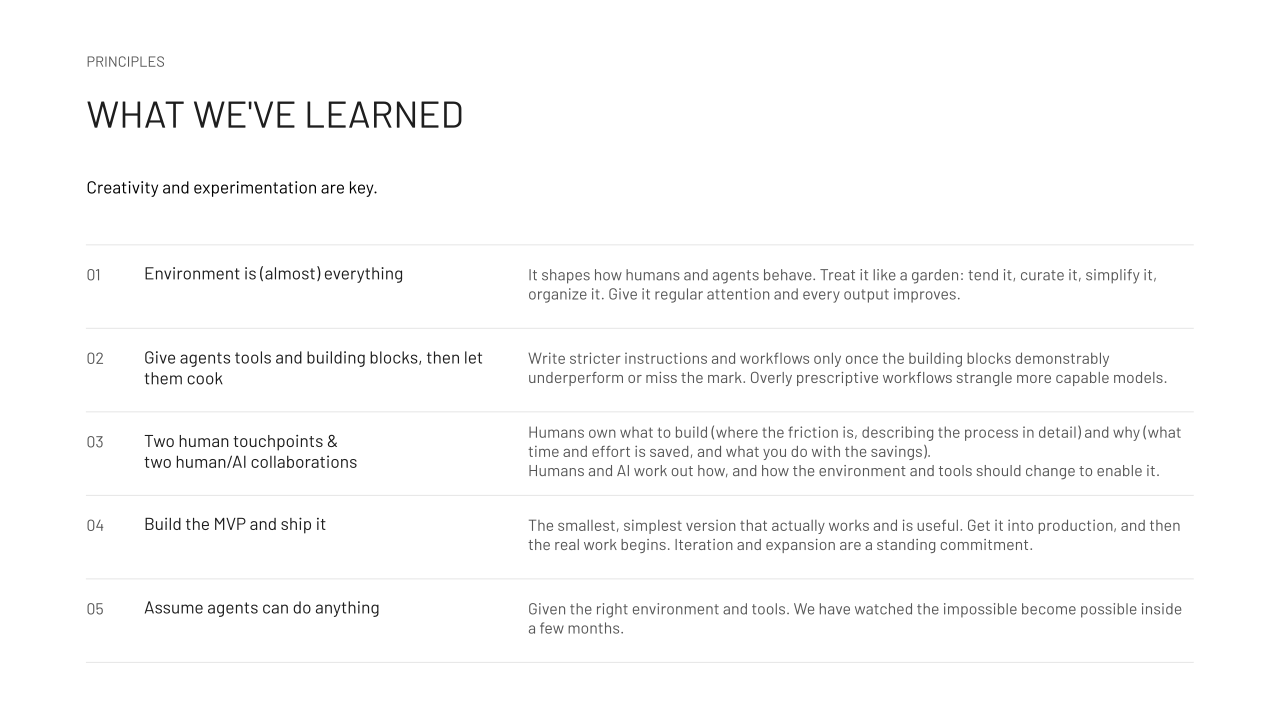
Underpinning all of this is the reality that this work still depends a great deal on creativity and experimentation.
The environment is almost everything. It shapes how people and agents behave, and it needs regular attention: curating it, simplifying it, keeping it organized. When the data is messy, what agents produce is messy – and honestly, the people on our team do better work in a cleaner data environment, too.
We give agents tools and building blocks and then let them decide when and how to use them. Tightly scripted workflows hold back more capable models, so we only write stricter instructions once the loose version has clearly fallen short. What surprises me is how often agents combine tools in ways we didn't plan, and they do it more often as the models improve.
Every workflow has two parts that people own and two that people and AI work out together: We decide what to build, which means finding the friction and describing the process in detail, and why, which means knowing what time and effort it saves and what the ROI and the benefit of that is to our team or our clients. Then we work out the how with a model – including how the environment and tools need to change to make it possible. Describing the process accurately is by far the hardest part of any build.
Build the smallest version that works and ship it. Once it's in production, you'll find five or six things that need to change, and iteration becomes an ongoing commitment rather than a phase.
Assume an agent can do almost anything, given the right environment and tools. We've watched things go from impossible to routine in a few months.
Agent tools
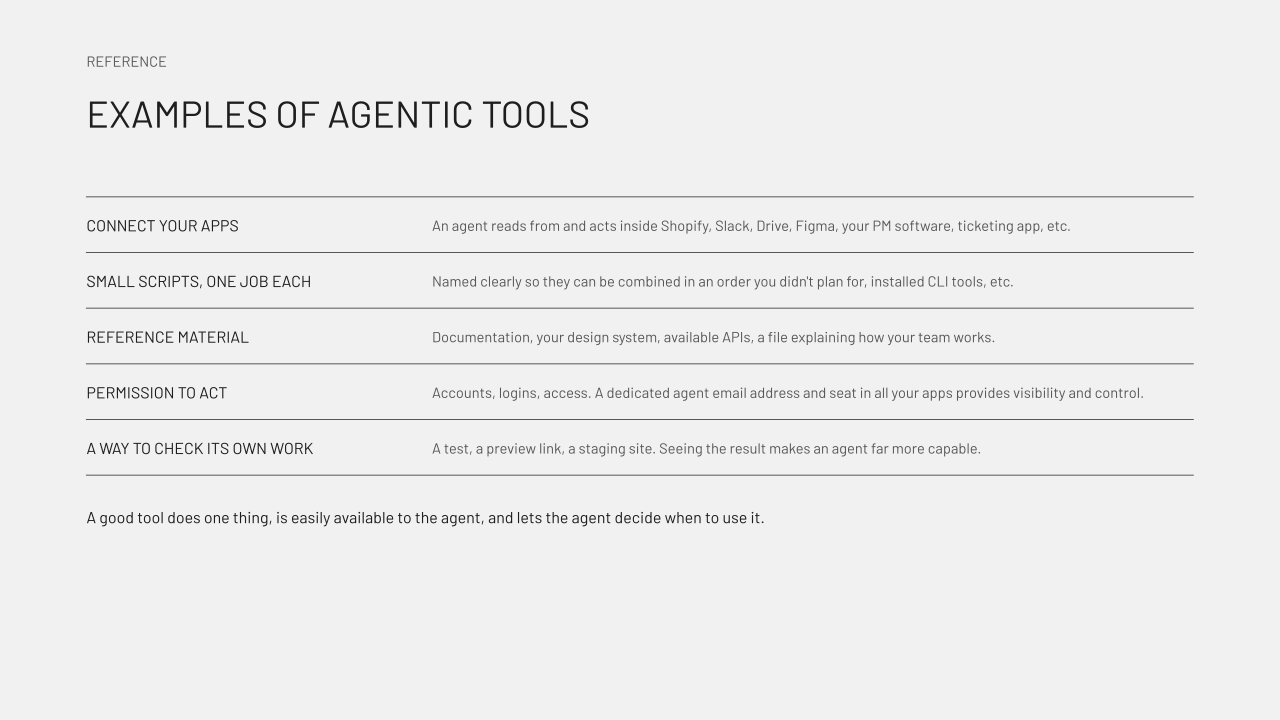
"Tools" is a bit ambiguous, so this slide is a reference. When we talk about agent tools, we’re talking about connections to the apps our team already uses, small scripts that each do one job and are named clearly enough that an agent can combine them in an order we didn't necessarily plan, and reference material like documentation, our design system, or files describing our SOPs, standards, or how our team works.
Tools can also include permission to act. We give agents their own email address and a seat in each app, which also makes it easy to see what they've accomplished.
Finally, we give agents a way to check their own work - like a test, a preview link, or a staging site. Being able to see the result makes an agent much more capable.
A good tool does one thing, is easy for the agent to reach, is safe for the agent to use, and leaves the decision about when to use it to the agent.
Take our framework and make it your own
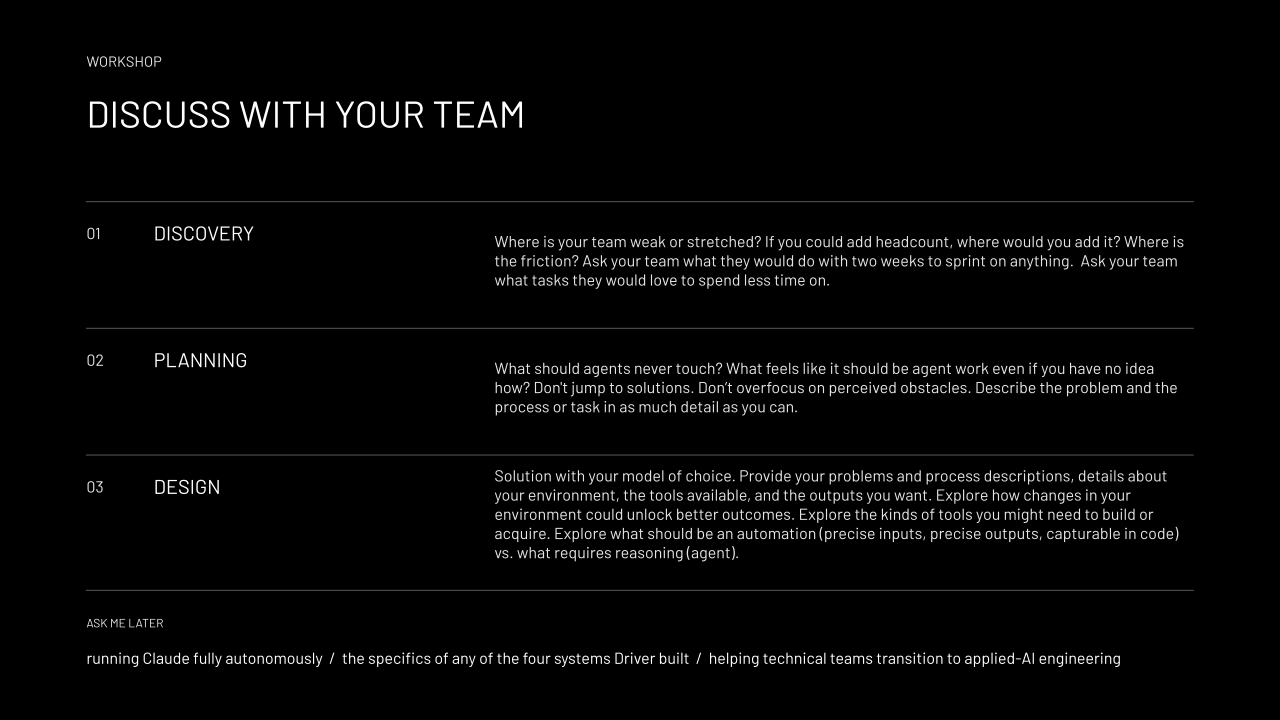
We have a set of questions our team works through before we build anything, grouped by discovery, planning, and design (the same phases we use for client work).
Discovery is about finding the friction. Where is your team stretched? If you could hire one more person, what would they do? It helps to ask people what they'd do with two weeks to work on anything, and which tasks they'd love to spend less time on.
Planning is about fully describing and specifying the problem without jumping to a solution. What should agents never touch? What feels like agent work even if you have no idea how it would happen? The more detail here, the better. "An agent should read our email" isn't enough to build from. Something like "every morning at 10 a.m., an agent logs into my email, reads everything with this label, does this with it, tells me about that, and never does these other things" is what you want to drill down to.
Design is where you bring all of that to your model of choice, along with details about your environment, the tools you have, and the outputs you want. That conversation is a good place to explore what could change in your environment, what tools you might need to build or buy, and which parts are really automations (precise inputs and outputs that code can handle) versus which parts need an agent to reason.
Driver agents for clients
We’re considering opening up a small number of custom projects to help our clients implement automations and agentic workflows in their own businesses. If you are interested in learning more about this, or if you have a process or goal for which you’ve been wanting to build an agent – we’d love to hear from you.